
Screenshots
App details
- Updated
- May 13, 2025
- Language
- English
- Developer
- Martin Malík
- Category
- Mobile
SoftPas in:
This product is also available in the following languages:
About HWiNFO Portable
Download HWiNFO Portable – hardware monitoring, real-time system tracking, portable performance tool, PC diagnostics, system health check
Overview
HWiNFO Portable is a specialized utility designed for users seeking in-depth insight into their computer’s hardware performance and status. As a portable version of the widely recognized HWiNFO tool, it enables real-time monitoring of critical system components without requiring installation. This makes it ideal for users who need to assess system health on multiple machines or in environments where software installation is restricted. The app serves as a diagnostic tool for identifying hardware anomalies, such as overheating, voltage fluctuations, or performance bottlenecks, allowing proactive maintenance and troubleshooting.
Target users include system administrators, IT professionals, PC enthusiasts, and anyone involved in hardware diagnostics or system optimization. The application is particularly useful during hardware upgrades, benchmarking sessions, or when diagnosing instability issues. Its ability to provide detailed, accurate data on processors, memory, storage, and peripherals supports informed decision-making. While the developer did not provide additional technical details about the underlying architecture, the app’s focus on precision and real-time data delivery underscores its role in the broader ecosystem of PC maintenance tools.
By offering a lightweight, self-contained solution, HWiNFO Portable fills a niche for users who value flexibility and immediate access to system diagnostics. Its portability ensures it can be deployed across various Windows systems without leaving traces, enhancing both usability and security.
Key Features & Functionality
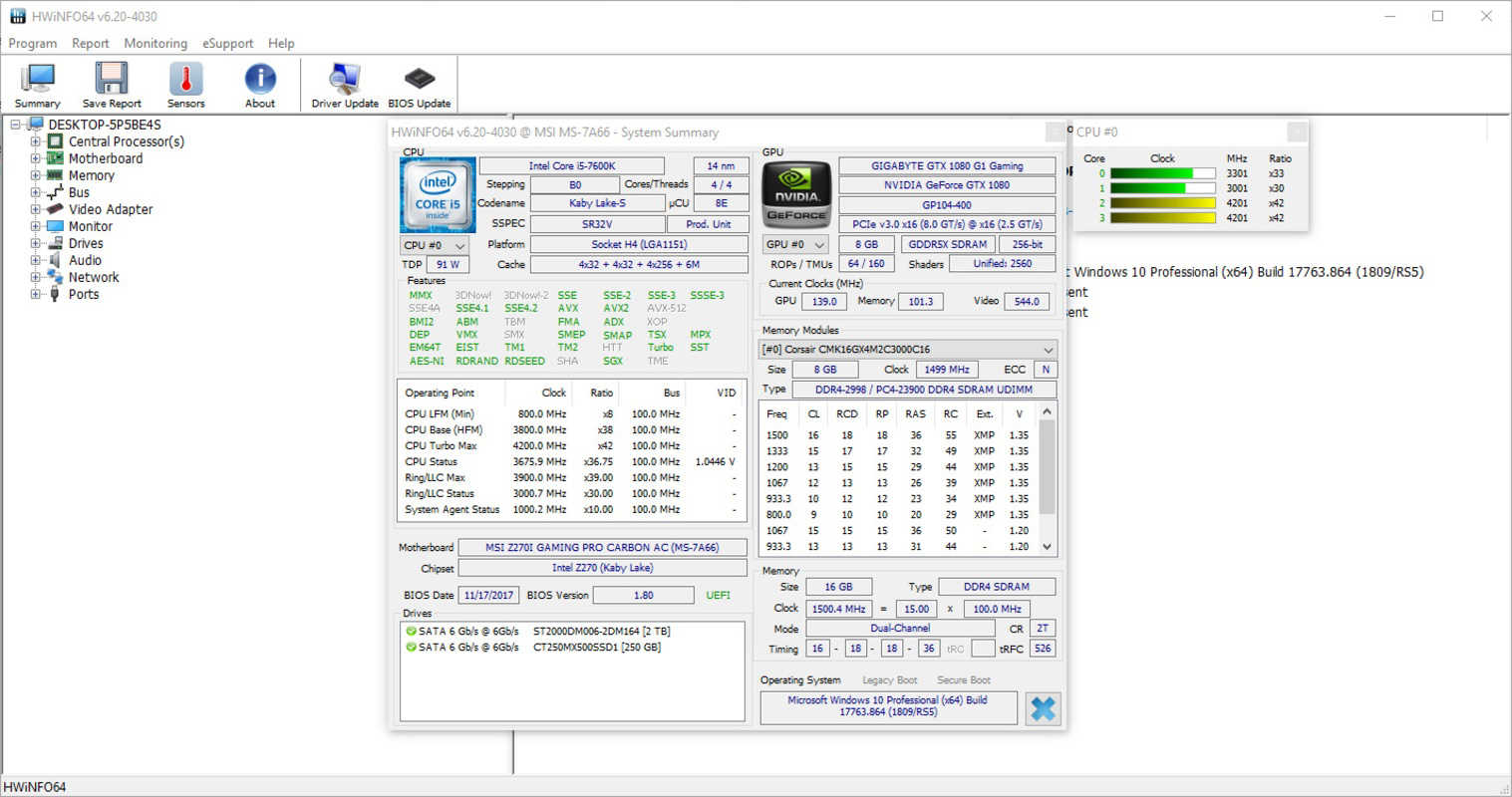
- Comprehensive Hardware Analysis: HWiNFO Portable scans and reports on a wide range of components, including CPU, motherboard, RAM, PCI bus, and storage devices. This holistic view allows users to verify hardware configurations and detect discrepancies in system specifications.
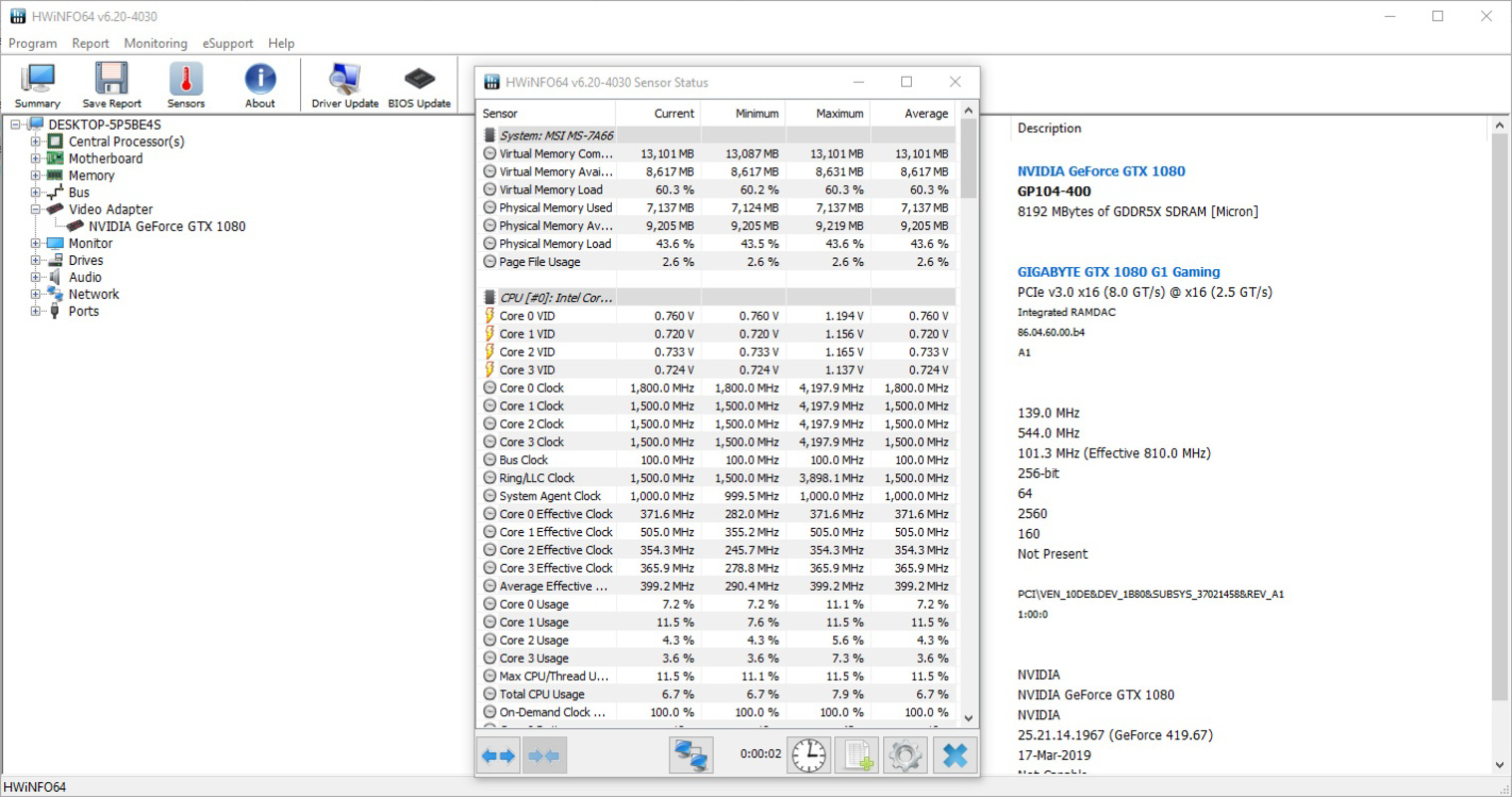
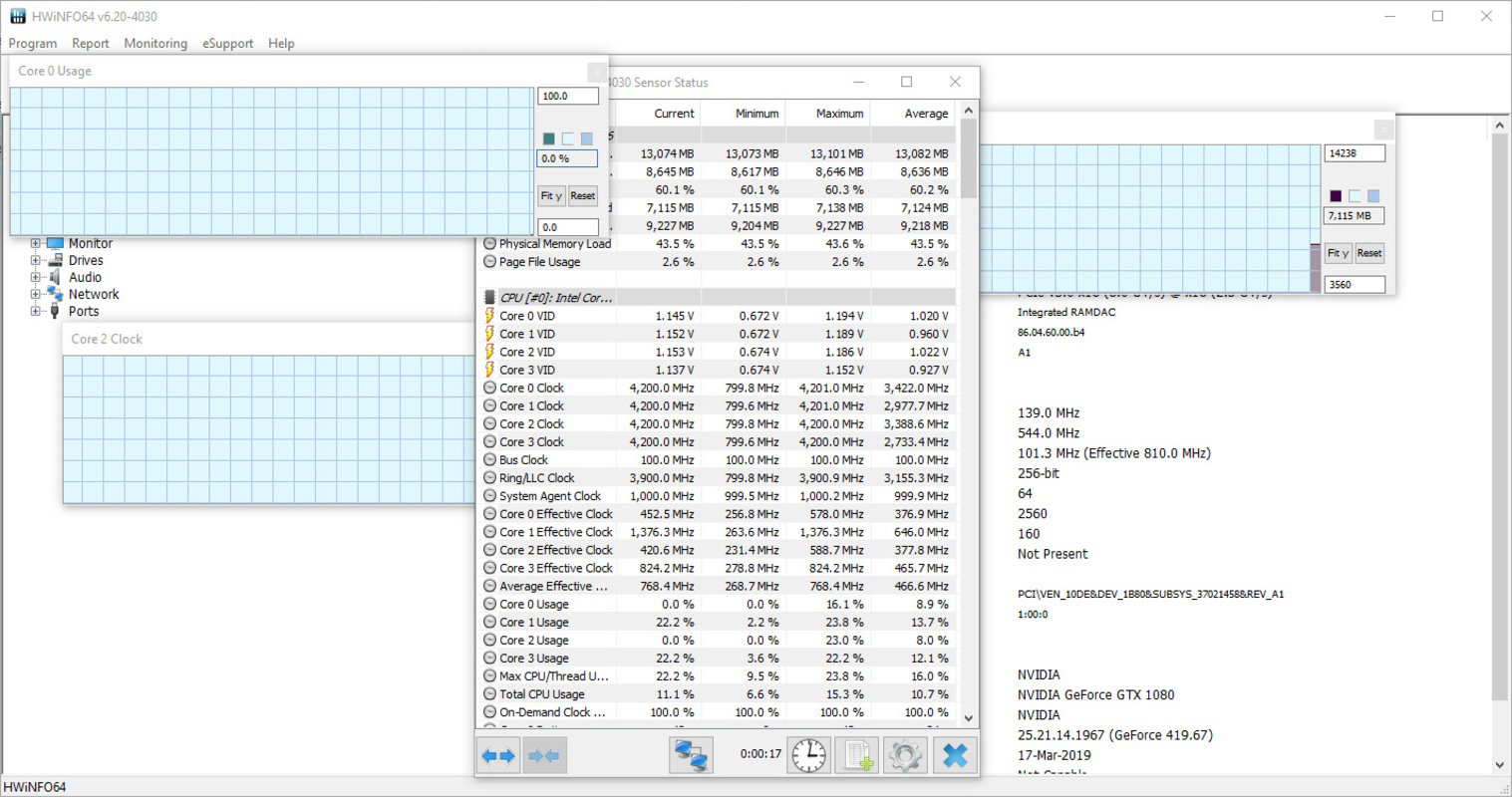
- Real-Time Monitoring: The application continuously tracks key metrics such as temperature, clock speeds, fan speeds, and power consumption. This enables immediate detection of thermal spikes or performance drops, helping prevent hardware damage.
- Portable and Lightweight: Built as a standalone executable, the app requires no installation and can be run directly from a USB drive or external storage. This makes it highly accessible for on-the-go diagnostics and multi-machine evaluations.
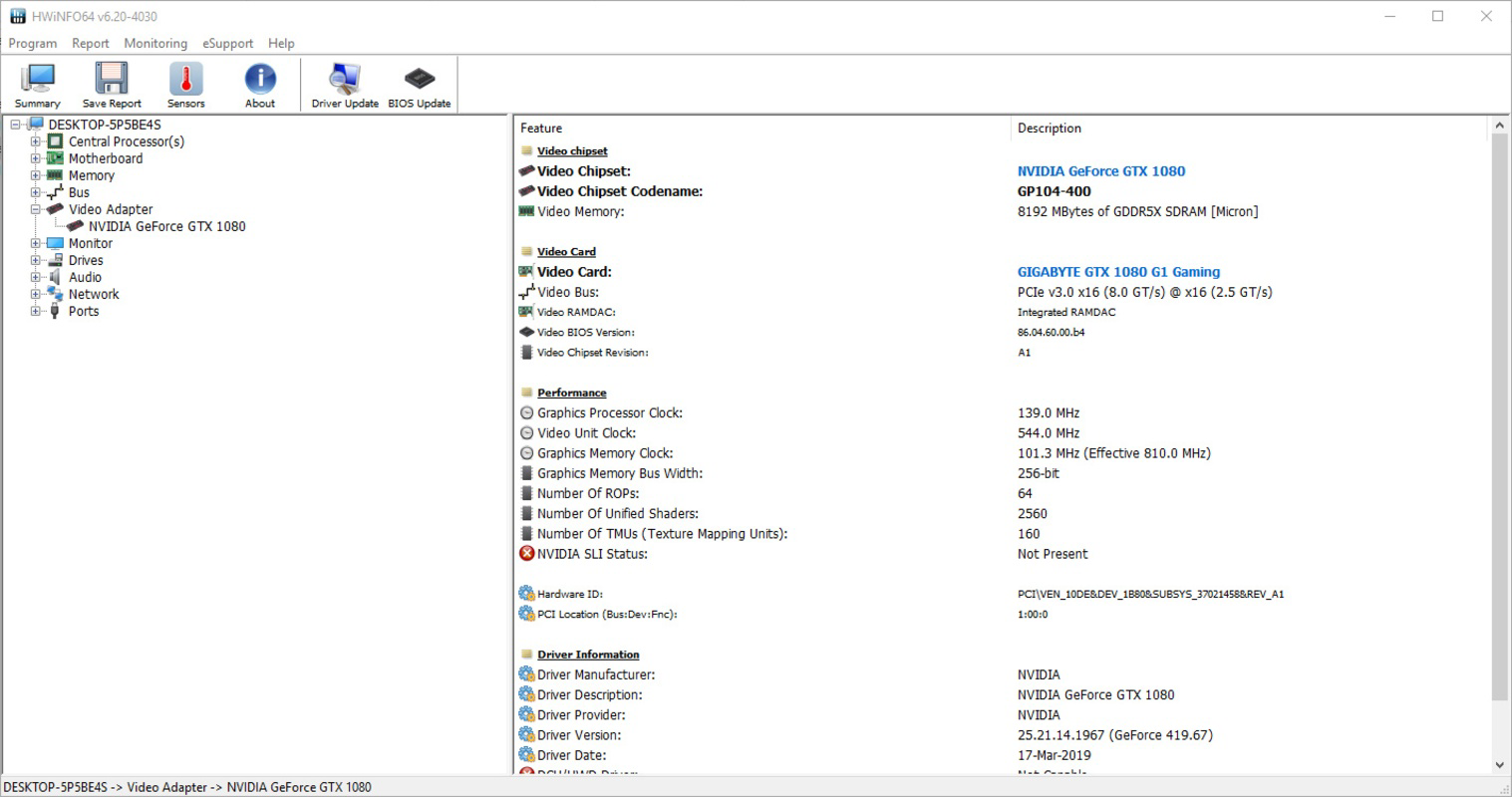
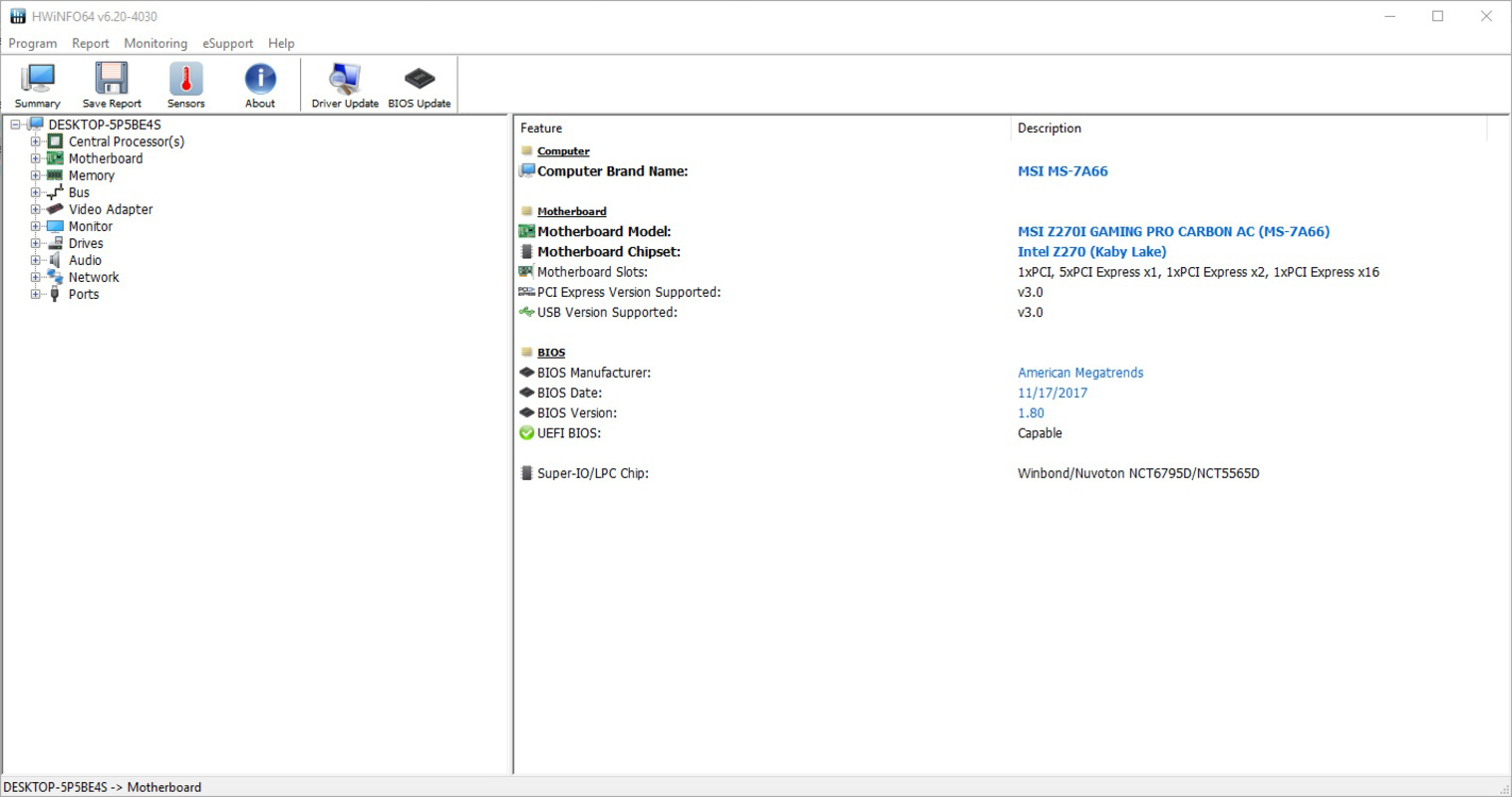
- User-Friendly Interface: The layout is designed for clarity and ease of navigation, with categorized sections that allow users to quickly locate specific hardware data. Even non-technical users can interpret core metrics with minimal learning curve.
- Detailed Reporting: Users can generate and save comprehensive system reports, which can be used for documentation, troubleshooting, or comparison across different system states.
For example, a technician can use the tool to verify if a newly installed CPU is being recognized correctly or to validate cooling performance under load. A gamer might use it to monitor GPU temperatures during extended gaming sessions, ensuring stability and longevity of components.
Interface, UX & Performance
HWiNFO Portable features a clean, information-dense interface optimized for technical users while remaining accessible to beginners. The layout organizes data into logical sections, with real-time updates displayed in a clear, readable format. Navigation is intuitive, allowing users to switch between different hardware categories with minimal effort.
Although the developer did not list formal performance metrics, the app’s lightweight footprint of 18.4 MB suggests efficient resource usage. It runs smoothly on a wide range of Windows systems, from older machines to modern high-performance setups. Responsiveness is consistent, with minimal lag during data updates, even when monitoring multiple sensors simultaneously.
Stability appears reliable, as the app functions without crashes or memory leaks during extended monitoring sessions. The lack of installation requirements further reduces the risk of system conflicts. Users can expect consistent performance across different device categories, though specific compatibility details were not disclosed.
Platform Compatibility & Technical Requirements
HWiNFO Portable is designed exclusively for the Windows platform. It supports the latest versions of Windows operating systems, though the developer did not specify minimum OS requirements. The application is compatible with both 32-bit and 64-bit architectures, ensuring broad accessibility.
The file size is 18.4 MB, which reflects its lightweight and efficient design. This small footprint makes it ideal for storage on portable drives or use in low-resource environments. The app is distributed as a standalone executable, meaning it operates independently without requiring additional runtime libraries or dependencies.
Although the developer did not specify exact technical requirements, the app’s minimal resource consumption suggests it can run on systems with limited processing power or memory. Users are advised to ensure their system meets standard Windows compatibility standards for running portable applications.
Pros and Cons
Pros
- Lightweight and portable—no installation required
- Real-time monitoring of CPU, GPU, temperature, and system voltages
- Comprehensive hardware analysis across multiple components
- Intuitive interface suitable for both beginners and advanced users
- Free to download and use, with no in-app purchases or ads
Cons
- Exclusive to Windows—no support for macOS or Linux
- Developer did not provide detailed system requirements
- Limited to desktop and laptop systems—no mobile compatibility
- Advanced features may require technical knowledge to interpret fully
- Reporting functionality may not include advanced export formats
FAQ
Is HWiNFO Portable safe to use?
Yes, the application is safe to use and does not modify system files or registry settings. It operates as a read-only diagnostic tool, gathering hardware data without altering system behavior.
Can I use HWiNFO Portable on multiple computers?
Yes, the portable nature of the app allows it to be used on any compatible Windows machine without installation. It is ideal for IT professionals who need to assess multiple systems.
Does HWiNFO Portable require an internet connection?
No, the app functions entirely offline. All monitoring and reporting features are available without requiring an internet connection.
Is HWiNFO Portable free to download?
Yes, the application is available at no cost. There are no hidden fees, subscriptions, or in-app purchases.
How often does the app update?
Updates are released periodically by the developer to improve compatibility, fix bugs, and enhance monitoring accuracy. Users are encouraged to check for the latest version to ensure optimal performance.
Final Thoughts
HWiNFO Portable stands out as a reliable, no-frills tool for anyone needing real-time hardware diagnostics on Windows systems. Its portability, accuracy, and ease of use make it a valuable asset for IT professionals, gamers, and hardware enthusiasts alike. By offering detailed monitoring without installation or system impact, it delivers a seamless diagnostic experience across multiple machines.
For users seeking a secure, lightweight, and effective way to track system health, HWiNFO Portable provides exceptional value—especially given its free availability. Whether you're troubleshooting a performance issue or simply curious about your system’s inner workings, this tool offers the clarity and control you need.
Download HWiNFO Portable now
Guides & Tutorials
How to install HWiNFO Portable
- Click the Download button above.
- Once redirected, accept the terms and click Install.
- Wait for the HWiNFO Portable download to finish on your device.
How to use HWiNFO Portable
This software is primarily used for its core features described above. Open the app after installation to explore its capabilities.
User Reviews
No reviews yet. Be the first to share your experience.
You may also like
more
Que no te pillen¡
About !Que no te pillen¡Reviewed by Jason A. BilbreyShow MoreShow Less

3D Combat Zone
About 3D Combat ZoneOriginally released in 1983, 3D Combat Zone immerses players...

666: El día del portal
About 666: El día del portalOn June 6, 2006, Agent P. Stone uncovers a sinister...

80 in 1 Best Flash games
About 80 in 1 Best Flash games 80 in 1 Best Flash games is a collection of 80 fl...

ABYSS SEEKERーーWhat Do You See Deep in The Abyss
About ABYSS SEEKERーーWhat Do You See Deep in The AbyssIn ABYSS SEEKER, players...

ACA NEOGEO THE KING OF FIGHTERS 2002 for Windows
About ACA NEOGEO THE KING OF FIGHTERS 2002 for WindowsTHE KING OF FIGHTERS 2002,...